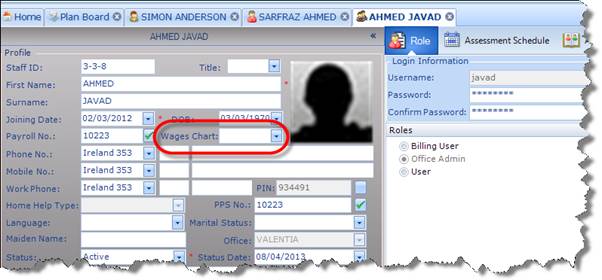
When adding a new Staff Member, you need to capture certain information. This includes all of the normal information you would expect to find on a Staff Profile. For example:
1. First Name/Surname
2. Date of Birth
3. Joining Date
4. All Contact Details
There is also an option to make the recording of payroll numbers mandatory in the Office Setup section.
|
|
All Staff Members are given a User Name and Password so that they can access the application. They must also be assigned a User Role on the system, which will be determined by their position within the organisation. For a detailed explanation of User Roles, please refer to the User Roles section of this document. |
You can also link a Staff Profile with a Wage Chart; the linked chart can then be used to calculate payroll for that Member of Staff based on the hours they work in terms of Assessment Visits, but not in terms of hours worked in the office.