

The Expenses screen allows you to record Expenses on a Staff Profile (e.g. for when a Staff Member has driven to a Client’s home and is entitled to mileage expenses. The screen can be accessed via the ribbon bar on the Staff Member’s Profile, as illustrated below:
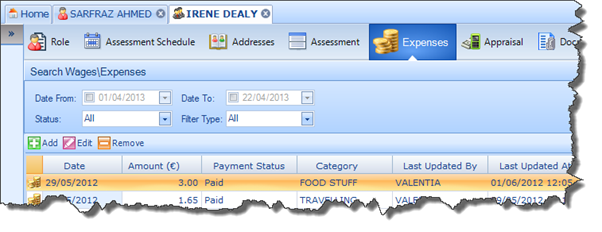
You can use the search facility to find Expenses already recorded on the Staff Profile. To add a new expense simply click Add and enter the required details.