

The Notes screen allows you to record multiple Notes. It can be accessed via the Staff Profile ribbon bar as illustrated below:
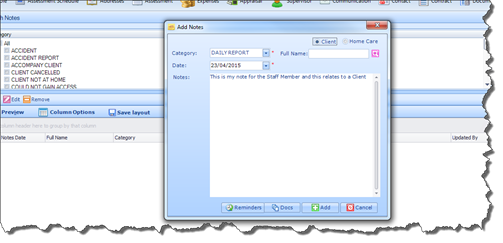
 Here you can use the search facility to search for Notes
by Category or Date parameters. To add a new Note, select Add Note-
this will open the Add Notes window. From here, you can enter the text of the
Note, select the Note’s Category, record a date, and link the Note with a
Client/Carer Profile. All Notes that are linked with a Client or Carer will also
appear in the Notes section of that Client’s/Carer’s Profile.
Here you can use the search facility to search for Notes
by Category or Date parameters. To add a new Note, select Add Note-
this will open the Add Notes window. From here, you can enter the text of the
Note, select the Note’s Category, record a date, and link the Note with a
Client/Carer Profile. All Notes that are linked with a Client or Carer will also
appear in the Notes section of that Client’s/Carer’s Profile.