

The Supervisors screen allows you to view and manage all Clients and Carers who the Staff Member supervises. It can be accessed via the ribbon bar on the Staff Member’s Profile, as illustrated below:
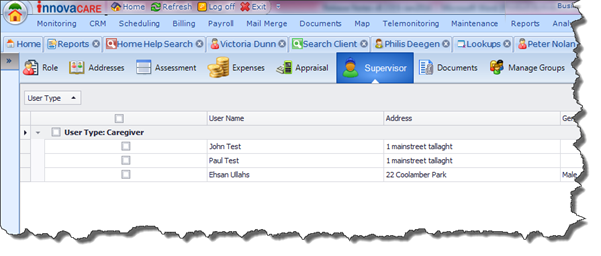
In cases where the Staff Member is made Inactive, you will be prompted to assign another Staff Member to supervise their Clients/Carers, or to simply unassign the Staff Member altogether. If you choose to reassign the Clients/Carers to the supervision of another Staff Member, a list of Active Staff Members will be displayed, from which you can select the new Supervisor.