

Notes can be exported to various different file formats by simply selecting the Preview option, as illustrated below:
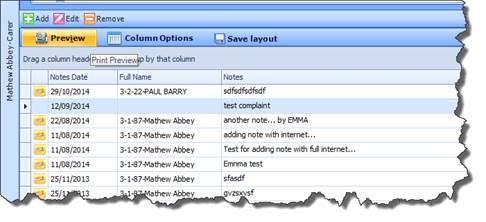
 Selecting Column Options allows you to
define what columns you wish to appear in the exported file. From here, you
can the select the Export File Type option to export these Notes to the
desired format.
Selecting Column Options allows you to
define what columns you wish to appear in the exported file. From here, you
can the select the Export File Type option to export these Notes to the
desired format.
|
|
You can also add Notes from Plan Board. All Notes added from Plan Board will appear in both Client and Carer Notes screens. |
