

From here you can record whether a how much Leave staff members are entitled to take during the working year. It is not a requirement to link a Staff Profile with a Leave Chart and the default option for Staff is the “No Leave Applied” option.

From this section of the screen you can select the Leave Chart option and all pre-configured Leave Charts on the system will appear in a dropdown list. From here you can select the desired Leave Chart and save this to the Staff Profile.
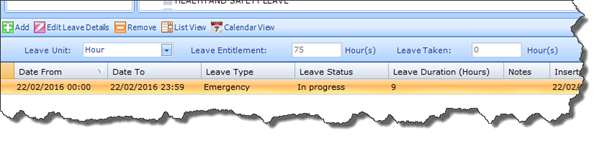
Once captured on the Staff Profile, the Carers Leave Quota will be calculated by the system based on the rule outlined in the Leave Chart applied to the Staff Profile. This can be viewed on the Staff Leave tab in the field titled: Leave Entitlement.
For full details on how these rules are set and how to create a Leave Chart, please refer to: Look Ups That Define Carer / Staff Leave Entitlements.