

From here you can record whether a Staff Members is on a Fixed Salary or an Hourly Rate. If the Staff Member is on a Fixed Salary, you can enter the Salary amount into the Fixed field.
If the Staff Member is on an Hourly Rate, you will be required to link a Wage Chart to the Staff Profile. This will be the default Wage Chart, and the rates for all of the Staff worked hours will be calculated against it unless specified otherwise.
For an explanation on how to create Wage Charts, please refer to the Payroll à Wage Charts section of this document. To link a Wage Chart to a Staff Profile, simply access the drop down menu beside Worked Hour (Specify Wage Chart) and select the desired Chart.
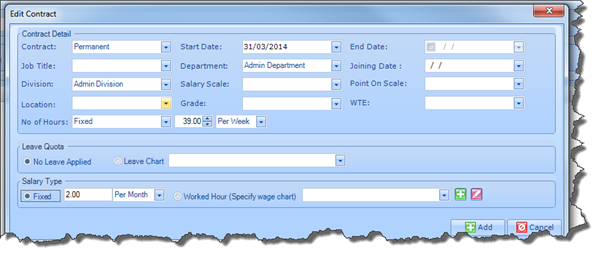
Once you have captured a Wage Chart, it will be displayed on the Contract screen, as illustrated below:
